

For most quick-service counter operations, a dedicated countertop terminal with a dual-screen configuration fits the workflow better than a standalone kiosk. Kiosks excel in high-volume, self-service environments but often disrupt the human interaction and speed required for complex counter orders. This guide explores how to evaluate countertop terminals, dual-screen setups, cash drawer integration, and physical footprint constraints to determine the right hardware for your specific service style.
Counter-Top Terminal Hardware
Choosing the right hardware begins with understanding the physical demands of your counter. A countertop terminal is a fixed point-of-sale device designed to remain at the register, handling order entry and payment processing simultaneously. Unlike mobile handhelds that move with staff, countertop units provide a stable, high-reliability environment for the primary transaction point. In quick-service environments, speed and durability are paramount, making the choice of terminal critical to operational efficiency.
Performance and Durability
Quick-service counters experience high-volume usage, often with staff working in tight spaces. The hardware must withstand constant tapping, cleaning, and potential spills. Modern terminals, such as the PAX A800, feature large Android touchscreens built for high-volume use. These devices support EMV, NFC, and swipe payments, ensuring that every payment method is handled without delay. The reliability of the hardware directly impacts the speed at which the line moves.
Integration with Restaurant Platforms
Hardware does not operate in a vacuum. It must integrate seamlessly with your restaurant platform, such as the SkyTab POS System. This integration ensures that orders entered at the counter are instantly routed to the kitchen display system. A well-chosen terminal acts as the bridge between the guest, the staff, and the back of house. It reduces the friction of manual data entry and minimizes the risk of order errors during busy shifts.
Dual Screen Configurations
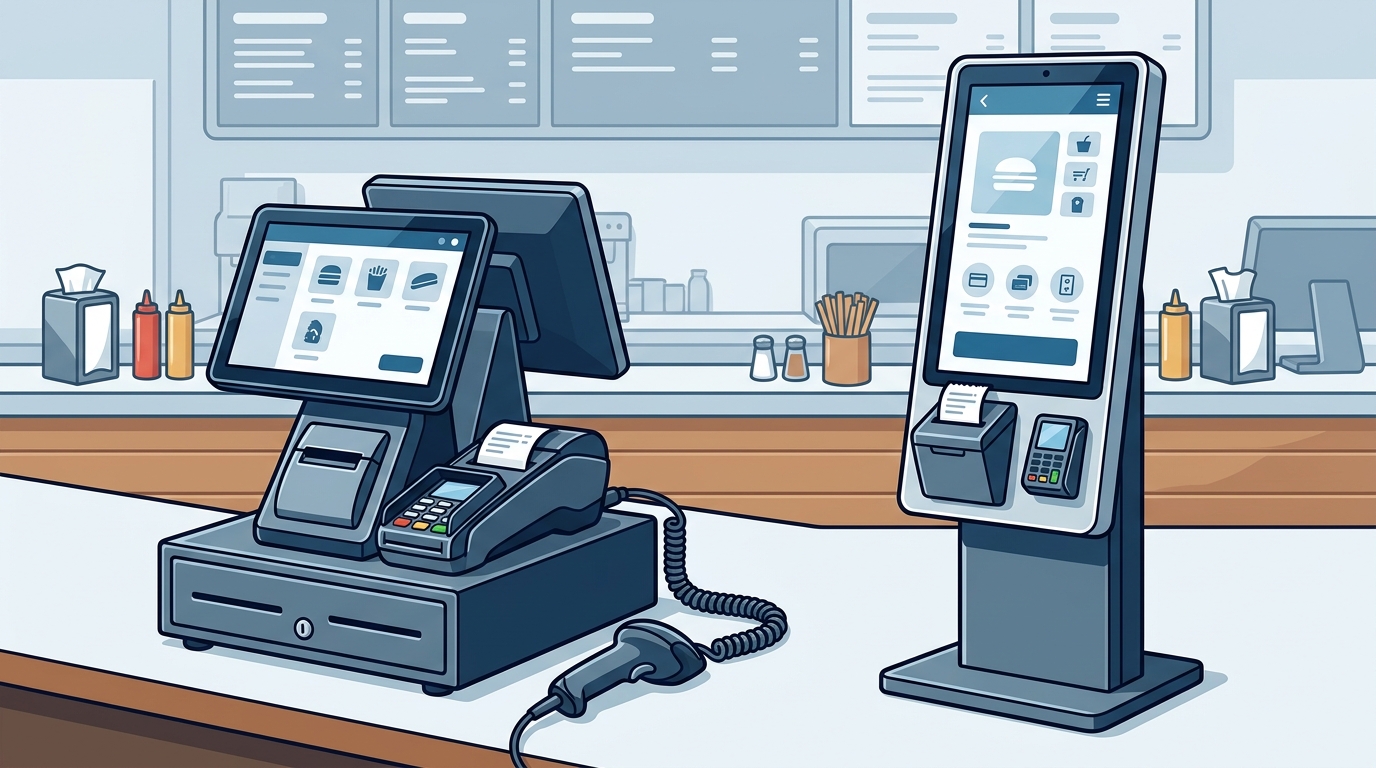
A dual-screen configuration is a setup where the primary terminal displays the order interface for staff, while a secondary customer-facing display shows the order details and total. This setup is often superior to kiosks for counter operations because it maintains eye contact and trust between the staff member and the guest. It allows the staff to guide the order while the guest verifies the details in real-time.
Customer-Facing Keypads and Displays
Customer-facing devices, like the Smart Keypad, pair with the primary terminal to provide a clean payment experience. Guests can tap, chip, or swipe with a clear view of the total and tip prompt. This transparency reduces disputes and speeds up the final step of the transaction. For counter operations, this is often more effective than a kiosk because the staff member remains the primary point of contact, handling any questions or modifications immediately.
Impact on Service Speed
Studies on guest expectations indicate that ordering and payment technology significantly influences the choice of restaurant. For drive-thru and takeout customers, a straightforward payment flow is part of how the restaurant is evaluated. A dual-screen setup at the counter mirrors this efficiency. It allows the transaction to proceed without the guest needing to navigate a complex menu independently, which can sometimes slow down the process if the guest is unfamiliar with the system.
Cash Drawer Integration
Cash remains a significant portion of transactions in many quick-service establishments. Cash drawer integration is the process of connecting a physical cash drawer to the POS terminal so that it opens automatically upon a cash sale. This integration is crucial for maintaining a smooth workflow at the counter. Without it, staff must manually open the drawer, which adds seconds to every cash transaction and can create bottlenecks during rushes.
Workflow Efficiency
When a cash drawer is properly integrated, the system opens the drawer only when a cash payment is selected. This prevents unauthorized access and ensures that the drawer is ready when the staff member needs to count change. For counter operations, this small automation saves significant time over the course of a shift. It allows the staff member to focus on the next guest rather than fumbling with hardware.
Space and Cabling Considerations
Integrating a cash drawer requires careful planning of the counter space. The drawer must be positioned where the staff can easily access it without obstructing the terminal or the customer-facing display. Cabling should be managed to prevent tripping hazards or damage. A well-planned station ensures that the cash drawer, terminal, and printer all work together as a cohesive unit, rather than a collection of disconnected devices.
Counter Footprint Constraints
Counter footprint constraints refer to the physical space limitations at the point of sale. In many quick-service locations, the counter is narrow, leaving little room for multiple devices. A kiosk setup often requires a larger footprint, including a stand, a screen, and a payment terminal, which can crowd the counter. In contrast, a countertop terminal with a compact customer-facing keypad can be more space-efficient, allowing for a cleaner and more organized workspace.
Optimizing Limited Space
When space is limited, every device must earn its place by removing a real bottleneck. A compact semi-integrated terminal, such as the PAX A80, offers a small countertop footprint while still supporting EMV, NFC, and swipe payments. This allows for a streamlined setup that does not overwhelm the counter. The goal is to give each device a clear job, ensuring that the station is easy to learn, keep clean, and rely on when the line builds.
Comparing Kiosks and Counter Terminals
The following table summarizes the key differences between kiosk setups and counter terminal configurations for quick-service operations.
| Feature | Kiosk Setup | Counter Terminal Setup |
|---|---|---|
| Space Requirement | High (stand, screen, terminal) | Low (compact terminal, keypad) |
| Staff Interaction | Minimal (self-service) | High (guided service) |
| Complexity for Guest | High (navigation required) | Low (staff-assisted) |
| Best For | High-volume, simple menus | Complex menus, personalized service |
Key Takeaways
- Counter terminals are generally better for operations that value staff-guest interaction and complex order customization.
- Dual-screen configurations enhance transparency and speed by allowing guests to verify orders in real-time.
- Cash drawer integration is essential for maintaining workflow efficiency in cash-heavy environments.
- Counter footprint constraints often favor compact terminal setups over bulky kiosk stands.
- Hardware must integrate seamlessly with the restaurant platform to ensure smooth order routing to the kitchen.
- Guest expectations for fast and reliable payment technology are a critical factor in choosing the right setup.
- A well-planned POS station gives each device a clear job, reducing clutter and improving reliability.
Frequently Asked Questions
Is a kiosk better than a counter terminal for quick-service?
It depends on your menu complexity and service style. Kiosks are better for simple, high-volume orders where self-service is preferred. Counter terminals are better for complex menus or when you want to maintain a personal connection with the guest.
What is a dual-screen POS configuration?
A dual-screen configuration uses a primary terminal for staff and a secondary display for the customer. This allows the guest to see the order and total while the staff member enters the details, improving transparency and speed.
How does cash drawer integration work?
Cash drawer integration connects the physical drawer to the POS system. When a cash payment is selected, the drawer opens automatically. This saves time and prevents unauthorized access to cash.
What are counter footprint constraints?
Counter footprint constraints refer to the limited physical space available at the point of sale. These constraints require choosing compact hardware that does not clutter the counter or obstruct the workflow.
Can I use a mobile device instead of a countertop terminal?
Yes, mobile devices like the SkyTab Air can be used for tableside or counter service. However, for a fixed counter operation, a dedicated countertop terminal often provides more stability and reliability for high-volume use.
How do I choose the right hardware for my operation?
Start by analyzing your service flow, menu complexity, and counter space. Consider how guests order and pay, and what your staff needs to do. A local partner can help you sort through the options and find a setup that fits your specific needs.
Conclusion
Selecting the right quick-service POS hardware is a decision that impacts every aspect of your operation, from speed to guest satisfaction. For most counter operations, a well-configured countertop terminal with a dual-screen setup offers a superior balance of efficiency, space utilization, and service quality compared to a standalone kiosk. By focusing on the specific needs of your counter, such as cash drawer integration and footprint constraints, you can build a station that supports your team and delights your guests. Contact Process with Bryant to discuss how a tailored hardware setup can improve your quick-service workflow.