Quick-Service POS Hardware with Transparent Payment Options in Oregon
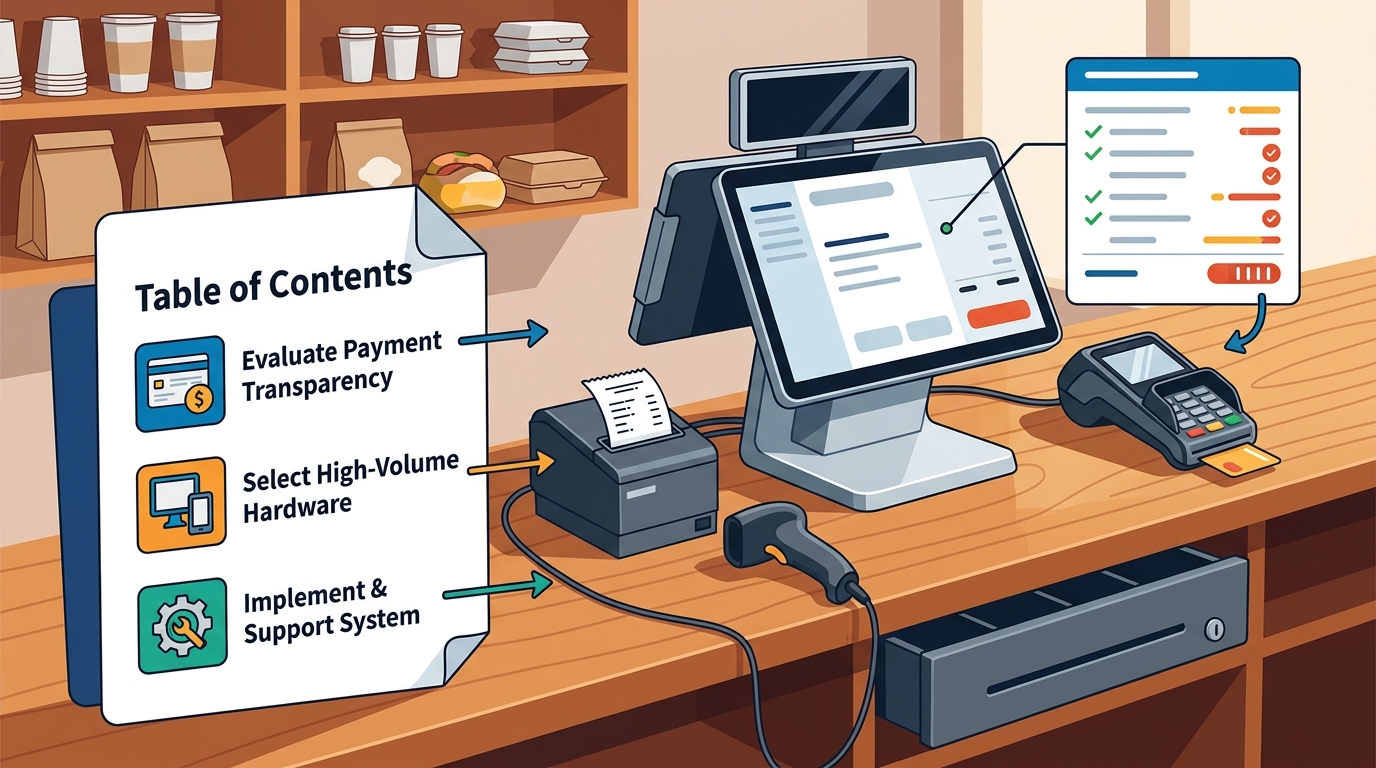
Quick-service POS hardware with transparent payment options in Oregon is a setup that clearly displays processing fees, hardware costs, and support terms before you sign a contract. This guide covers how to evaluate payment transparency, select the right hardware for high-volume counters, and implement a system that keeps your line moving. We focus on practical steps for restaurant owners in Oregon and Washington who need a reliable partner for setup and ongoing support.
Transparent Payment Pricing
Payment transparency is the foundation of a sustainable POS investment. Many owners discover hidden fees only after the system is live, which makes it difficult to predict monthly costs. A transparent pricing model breaks down every component of the expense so you can compare options fairly.
Understanding the Cost Components
POS system cost is the total amount you pay for software, hardware, and payment processing over the life of the contract. It includes upfront hardware purchases, monthly software subscriptions, and per-transaction processing fees. Understanding these three pillars helps you avoid surprises.
Processing fees are often quoted as a percentage plus a fixed cent amount. For example, a card transaction might cost 2.6% plus 10 cents. However, the total cost depends on the mix of card types you accept, such as credit, debit, and mobile wallets. A transparent provider will show you the exact rate for each transaction type.
Identifying Hidden Fees
When evaluating a provider, ask for a full fee schedule in writing. This should include any charges for refunds, chargebacks, or manual entry transactions. If a provider cannot provide a clear breakdown, it is a sign that their pricing is not transparent.
The Value of Dual Pricing
Dual pricing is a strategy where you display different prices for cash and card payments. This allows you to pass the cost of card processing directly to the customer who chooses to pay by card. It is a transparent way to manage processing costs without reducing your margin.
Implementing dual pricing requires hardware that can clearly display both prices to the customer. A customer-facing keypad or display is essential for this. It ensures the guest sees the total before they pay, which reduces confusion and potential disputes at the counter.
Selecting the Right Hardware
Hardware selection is critical for quick-service operations where speed is the priority. The right devices keep the line moving and reduce the chance of errors. You need to match the hardware to your specific service style and counter layout.
Countertop Terminals
Countertop terminals are the primary point of interaction for staff and guests. They should be durable, fast, and easy to use. A high-performance touchscreen terminal is ideal for busy counters where speed and reliability matter. Look for devices that support EMV, NFC, and swipe payments to cover all payment methods.
The placement of the terminal is just as important as the device itself. It should be positioned so the staff member can see the screen while maintaining eye contact with the guest. A compact footprint is often better for limited counter space, as it leaves room for other necessary items like receipts and cash drawers.
Customer-Facing Devices
Customer-facing devices allow guests to complete their payment securely. A customer-facing keypad is a clean payment experience that pairs with a primary terminal. It supports tap, chip, and swipe payments, as well as mobile wallets like Apple Pay and Google Pay.
These devices are essential for transparency because they show the guest the exact amount they are paying. They also allow for tip prompts and receipt choices, which streamlines the checkout process. By giving the guest control over the final step, you reduce the time the staff member spends on the transaction.
Mobile and Handheld Options
Mobile and handheld devices provide flexibility for service beyond the main counter. A handheld terminal with a built-in printer is useful for tableside service or delivery. It allows staff to take payments and print receipts without returning to the main station.
For quick-service operations, mobile devices can also be used for curbside pickup or event sales. They should have reliable connectivity, such as Wi-Fi and 4G, to ensure payments go through even if the local network is down. This redundancy is a key part of a robust payment setup.
Optimizing the Payment Flow
The payment flow is the sequence of steps a guest takes to complete a transaction. Optimizing this flow reduces wait times and improves the overall guest experience. It involves coordinating the POS software, hardware, and staff actions.
Streamlining the Counter Workflow
A streamlined counter workflow minimizes the number of steps required to take an order and payment. This can be achieved through clear order entry screens and automated processes. For example, the system should automatically calculate taxes and apply any applicable discounts.
Staff training is crucial for a smooth workflow. Employees should be comfortable with the hardware and software, so they can handle exceptions without hesitation. Regular practice sessions help build this confidence, especially for new staff members.
Managing High-Volume Rushes
High-volume rushes test the limits of your POS system. The hardware must be able to handle multiple transactions simultaneously without slowing down. A robust network connection is also essential to ensure that payments are processed quickly.
Consider adding a second order point or a self-service kiosk to distribute the load. A self-ordering kiosk is a guided touchscreen experience that keeps lines moving and helps reduce order errors. It allows guests to enter their own orders, which frees up staff to focus on other tasks.
Integrating with Back-Office Systems
The front-end payment flow should be seamlessly integrated with back-office systems. This includes inventory management, reporting, and staff scheduling. When these systems are connected, you get a complete view of your operation.
For example, when a sale is made, the inventory should be automatically updated. This helps you track stock levels and reorder supplies as needed. It also provides accurate data for reporting, which helps you make informed business decisions.
Support and Training
Support and training are often overlooked when choosing a POS system, but they are critical for long-term success. A system is only as good as the support you receive when you need it. You want a partner who is available to help you when questions arise.
The Importance of Local Support
Local support is a significant advantage for restaurant owners. A local partner understands the specific challenges of your market and can provide faster response times. They can also visit your location if a hardware issue cannot be resolved remotely.
Process with Bryant provides direct support from a local partner who understands your counter, kitchen, payments, and team. This means you have a clear person to contact when a workflow, payment, hardware, or reporting question needs a practical answer. This direct line of communication is invaluable during a busy shift.
Comprehensive Training Programs
Comprehensive training ensures that your entire team is comfortable with the new system. This includes managers, servers, and counter staff. Training should be practical and built around the way your operation actually runs.
Video tutorials are a useful resource for ongoing training. They allow staff to review specific topics at their own pace. For example, a tutorial on menu modifiers can help a new employee learn how to handle complex orders. This self-paced learning complements in-person training and helps build long-term confidence.
Ongoing System Maintenance
Ongoing system maintenance keeps your POS running smoothly. This includes software updates, hardware checks, and performance monitoring. A proactive approach to maintenance can prevent small issues from becoming major problems.
Regular check-ins with your POS provider are a good way to ensure everything is working as expected. These check-ins can also be an opportunity to discuss any changes to your menu or service style. Your provider can help you make the necessary adjustments to the system.
Key Takeaways
- Transparent payment pricing requires a clear breakdown of software, hardware, and processing fees.
- Countertop terminals should be fast, durable, and positioned for efficient staff-guest interaction.
- Customer-facing devices enhance transparency by allowing guests to see the total and complete payment securely.
- Dual pricing is a transparent way to manage card processing costs by displaying separate cash and card prices.
- Mobile and handheld devices provide flexibility for service beyond the main counter, such as curbside or delivery.
- Optimizing the payment flow involves streamlining the counter workflow and integrating with back-office systems.
- Local support is a critical factor for quick-service operations, as it ensures faster response times and practical help.
- Comprehensive training and ongoing maintenance are essential for long-term success with your POS system.
Frequently Asked Questions
What is the most important factor in choosing quick-service POS hardware?
The most important factor is speed and reliability. The hardware must be able to handle high-volume transactions quickly and without errors. This keeps the line moving and improves the guest experience.
How can I ensure payment transparency with my POS provider?
Ask for a full fee schedule in writing before signing a contract. This should include all processing fees, monthly costs, and any hidden charges. A transparent provider will be happy to provide this information.
What is dual pricing and how does it work?
Dual pricing is a strategy where you display different prices for cash and card payments. It allows you to pass the cost of card processing to the customer who chooses to pay by card. It requires hardware that can clearly display both prices.
Do I need a customer-facing keypad for my quick-service restaurant?
A customer-facing keypad is highly recommended for quick-service restaurants. It allows guests to complete their payment securely and see the total before they pay. This reduces the time the staff member spends on the transaction and enhances transparency.
How important is local support for a POS system?
What kind of training should I expect from my POS provider?
You should expect comprehensive training for all staff members, including managers and counter staff. This should include in-person training and access to video tutorials for ongoing learning. The training should be practical and built around the way your operation actually runs.
Can I use mobile devices for payments in a quick-service restaurant?
Yes, mobile devices can be used for payments in a quick-service restaurant. They are useful for curbside pickup, delivery, or event sales. Look for devices with reliable connectivity, such as Wi-Fi and 4G, to ensure payments go through even if the local network is down.
How do I optimize the payment flow at my counter?
Optimize the payment flow by streamlining the counter workflow and integrating with back-office systems. This includes using clear order entry screens, automated processes, and regular staff training. The goal is to minimize the number of steps required to take an order and payment.
Conclusion
Choosing the right quick-service POS hardware with transparent payment options is a critical decision for your business. It affects your daily operations, your profit margin, and your guest experience. By focusing on transparent pricing, the right hardware, and reliable support, you can build a system that works for you.
Process with Bryant is your local POS partner in Oregon and Washington. We help you sort through the options and find a solution that fits your actual business. To get started, request a free POS review and let us help you plan your next move.