

Quick-Service POS Hardware That Integrates with Shift4 Payment Processing
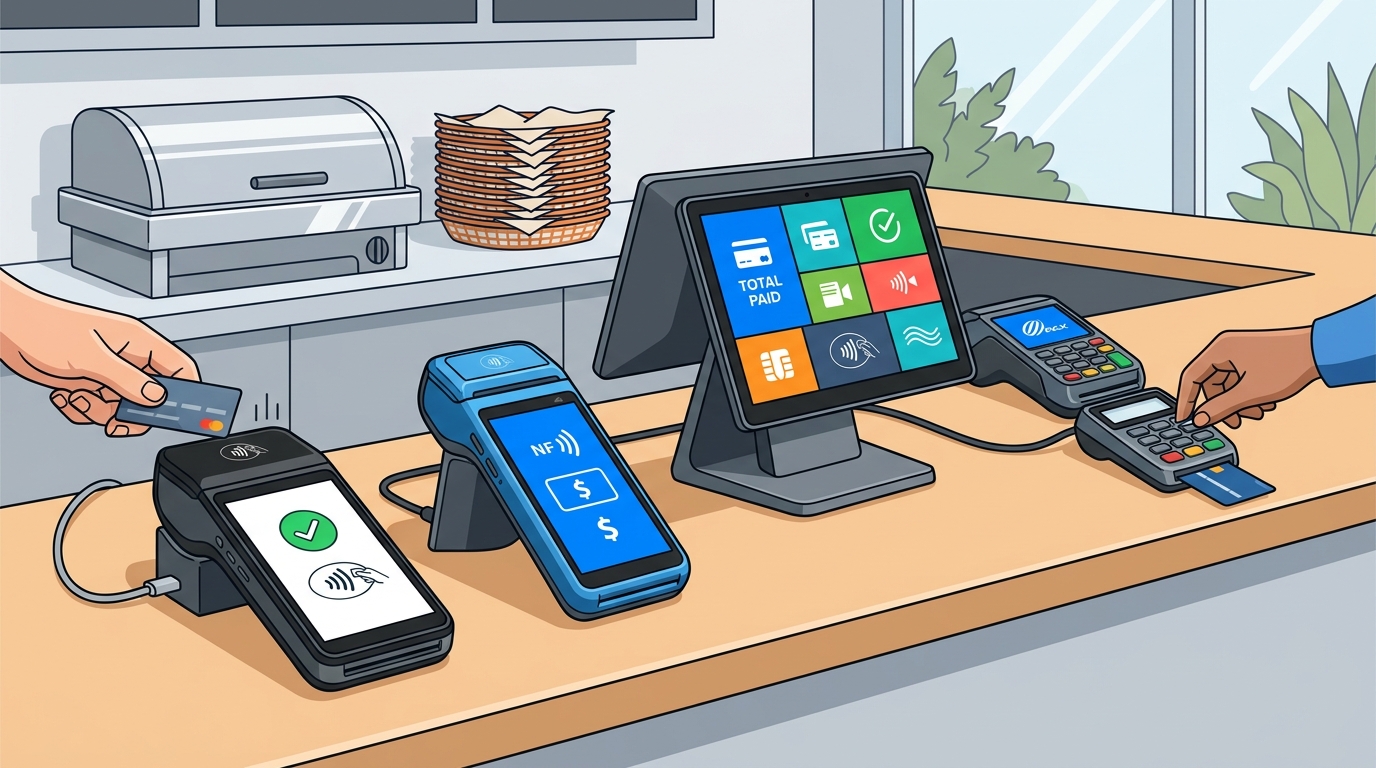
Quick-service POS hardware that integrates with Shift4 payment processing includes the PAX A800, PAX A930, PAX A80, SP30, and Shift4 One. These devices support EMV, NFC, and swipe payments, allowing restaurants to accept cards, mobile wallets, and cashless transactions seamlessly. This guide explains how to choose, verify, and implement the right hardware for your operation.
How to Choose the Right Hardware
Choosing the right hardware starts with understanding your service flow. A quick-service POS station is the physical interface where staff enter orders, manage modifiers, and process payments. The best hardware removes friction from this workflow rather than adding complexity. You must match the device type to the specific job it performs in your counter or dining area.
Countertop vs. Mobile Devices
Countertop terminals like the PAX A800 are ideal for high-volume, fixed-location counters. They offer large touchscreens and robust build quality for constant use. Mobile devices like the PAX A930 provide flexibility for tableside service or delivery. The choice depends on whether your guests pay at a fixed point or move around the space.
Payment Method Support
Modern guests expect contactless options. Ensure your hardware supports EMV chip, NFC tap, and magnetic stripe swipe. Devices that integrate with Shift4 must handle all three methods to avoid turning away customers. Check if the device supports Apple Pay and Google Pay, as these are standard in the Pacific Northwest.
Questions to Ask Before Committing
Before purchasing, ask specific questions about compatibility and support. Do not rely on generic marketing claims. You need to know how the hardware behaves in your specific environment.
Integration Depth
Ask if the hardware is natively integrated with the Shift4 payment gateway or if it requires a third-party middleware. Native integration ensures faster transaction speeds and fewer points of failure. Middleware can introduce latency and additional costs.
Support and Warranty
Inquire about the warranty terms and support channels. Does the vendor provide direct support, or do you have to go through a reseller? Process with Bryant emphasizes direct support, ensuring that the person who installs the system is the one who helps when it breaks.
How to Verify Integration Claims
Verify that a device is truly certified for Shift4 processing. Look for official certification lists from the payment processor. A device may be compatible with a POS platform but not certified for a specific payment gateway. This distinction matters for transaction reliability.
Test Transactions
Request a demo or trial period. Run test transactions using different payment methods. Check if the receipt prints correctly and if the transaction status updates in real-time. This practical test reveals issues that spec sheets hide.
Implementation Process and Timeline
Implementing new hardware involves several steps. The process typically takes one to two weeks from order to launch. The timeline depends on your current setup and the complexity of your menu.
Installation and Configuration
On-site installation includes setting up the hardware, configuring the network, and linking the devices to the payment gateway. This step ensures that all terminals communicate with the back office. It also involves setting up user permissions and roles.
Training and Launch
Training is critical for adoption. Staff must learn how to process payments, handle exceptions, and close out shifts. Process with Bryant provides practical onboarding built around the way your operation actually runs. This ensures the team is confident before the doors open.
Cost Drivers and Budgeting
The cost of POS hardware varies based on the device type and quantity. Hardware is a one-time investment, but it is part of a larger ecosystem that includes software and payment processing. Understanding the total cost of ownership is essential for budgeting.
Hardware vs. Software Costs
Hardware costs are upfront, while software costs are often monthly. Payment processing fees are transaction-based. A low-cost terminal might come with higher processing fees, so evaluate the total expense over time. Do not focus solely on the sticker price of the device.
Common Mistakes to Avoid
Owners often make mistakes that lead to poor performance. Avoid buying hardware in isolation without considering the software and payment setup. A cheap terminal that does not fit your workflow will become a bottleneck.
Ignoring Network Requirements
Ensure your Wi-Fi or wired network can support the number of devices. Weak signal coverage can cause payment delays. Test the network in every location where a device will be placed.
Comparison with Alternative Systems
Shift4-integrated hardware offers a balance of cost and performance. Compare it with other systems to see where it fits your needs. The table below summarizes the key differences.
| Feature | Shift4 Integrated Hardware | Generic POS Hardware |
|---|---|---|
| Payment Integration | Native, certified | May require middleware |
| Support Model | Direct, local partner | Often outsourced or generic |
| Processing Fees | Competitive, transparent | Varies widely |
| Best For | Restaurants, Quick-Service | General Retail |
Hardware for Specific Service Styles
Different service styles require different hardware configurations. A food truck has different needs than a full-service restaurant. Tailor your hardware choice to your specific operation.
Food Trucks and Mobile Vendors
For mobile operations, the Shift4 One is a strong option. It is a standalone mobile payment solution that does not require a full POS system. It supports Wi-Fi and 4G connectivity, allowing you to take payments anywhere. This is ideal for events and curbside service.
Quick-Service Restaurants
For QSRs, the PAX A800 or SkyTab Kiosk are suitable. They handle high transaction volumes and support self-ordering. This keeps lines moving and reduces order errors.
Compliance and Security Protections
Payment hardware must comply with security standards. PCI DSS compliance is mandatory for any business accepting card payments. The hardware itself should be certified to meet these standards. This protects your business and your customers from fraud.
Data Encryption
Local Considerations for Oregon and Washington
Timing Your Hardware Upgrade
Timing your upgrade can impact your business. Avoid upgrading during peak seasons if possible. This allows for a smoother transition without disrupting service. However, if your current system is failing, immediate action is necessary. Plan the upgrade during a slower period to minimize impact.
Long-Term Operational Results
Over time, the right hardware leads to improved efficiency and customer satisfaction. Faster payment processing reduces wait times. Reliable hardware reduces downtime. These factors contribute to higher sales and better reviews. Monitor your metrics regularly to track the impact of your investment.
Key Takeaways
- Choose hardware that matches your specific service flow and payment methods.
- Verify native integration with Shift4 to ensure reliability and speed.
- Consider the total cost of ownership, including software and processing fees.
- Invest in training to ensure staff adoption and confidence.
- Ensure your network infrastructure can support the number of devices.
- Comply with PCI DSS standards to protect customer data.
- Work with a local partner for direct support and practical guidance.
Frequently Asked Questions
What is the best POS hardware for a food truck using Shift4?
The Shift4 One is an excellent choice for food trucks. It is a standalone mobile payment solution that supports Wi-Fi and 4G connectivity. It allows you to take payments anywhere without needing a full POS system.
Does the PAX A800 work with Shift4 payment processing?
Yes, the PAX A800 is a high-performance terminal that integrates with the Shift4 ecosystem. It supports EMV, NFC, and swipe payments, making it suitable for high-volume quick-service environments.
How long does it take to install new POS hardware?
Installation typically takes one to two weeks. This includes on-site setup, configuration, and staff training. The exact timeline depends on the complexity of your menu and the number of devices.
What is the difference between a countertop terminal and a handheld device?
A countertop terminal is fixed and ideal for high-volume counters. A handheld device is mobile and suitable for tableside service or delivery. The choice depends on where your guests pay.
Do I need a full POS system if I use Shift4 One?
No, the Shift4 One is a standalone mobile payment solution. It is designed for businesses that do not need a full POS system, such as food trucks or curbside vendors.
How can I verify that a device is certified for Shift4?
Check the official certification lists from Shift4. You can also request a demo or trial period to test the integration. Ensure the device is natively integrated to avoid middleware issues.
What are the security requirements for POS hardware?
POS hardware must comply with PCI DSS standards. It should support end-to-end encryption to secure payment data. This protects your business and customers from fraud.
Why is local support important for POS hardware?
Local support ensures that you have a direct line to someone who understands your specific operation. It allows for faster troubleshooting and practical guidance, which is crucial during busy shifts.
Conclusion
Choosing the right quick-service POS hardware that integrates with Shift4 payment processing is a critical decision for your business. By understanding the options, verifying integration, and planning for implementation, you can ensure a smooth transition. Process with Bryant provides local expertise and direct support to help you make the best choice for your operation. To plan your visit, for a free POS review.