

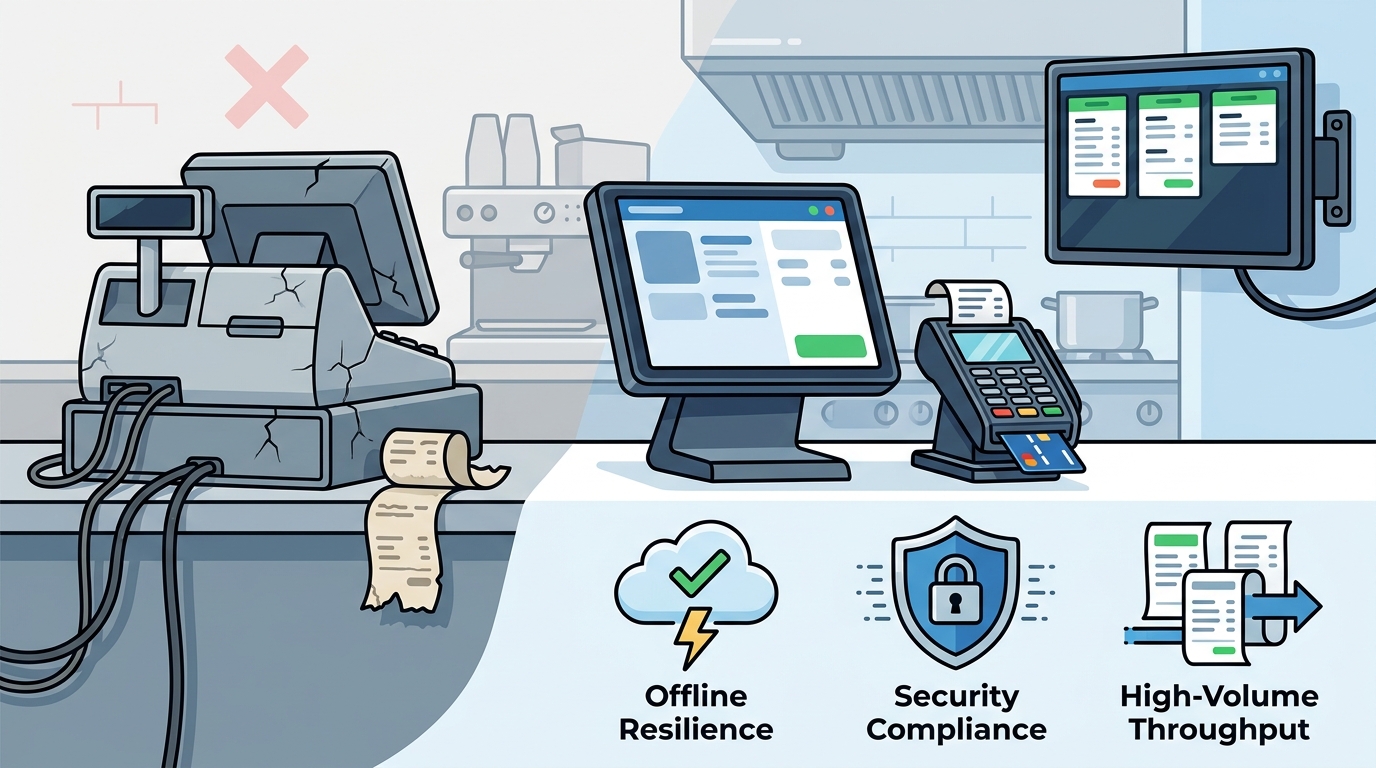
Quick-Service POS hardware helps restaurant owners replace aging systems by streamlining order entry, modernizing payment processing, and ensuring reliable offline capability. This guide covers kitchen display systems, payment modernization, hardware compatibility, offline resilience, and security compliance. It provides a practical framework for evaluating equipment that supports high-volume counters and fast service workflows.
Kitchen Display Systems
Kitchen Display Systems (KDS) are digital screens that replace paper tickets to manage order flow in the kitchen. In quick-service environments, speed and accuracy are critical. A modern KDS ensures that orders are routed to the correct station immediately upon entry. This reduces the time staff spend sorting through physical tickets during a rush.
Reducing Order Errors
Paper tickets are prone to being lost, misplaced, or read incorrectly. A digital display highlights urgent orders and flags special requests clearly. This visual clarity helps kitchen staff prioritize tasks effectively. The result is a faster throughput and fewer mistakes that lead to remakes or customer complaints.
Integration with POS
The KDS must integrate seamlessly with the front-of-house POS. When a customer pays or places an order, the ticket should appear on the screen instantly. This synchronization is vital for maintaining the pace of a quick-service line. Process with Bryant helps owners select KDS hardware that pairs reliably with their chosen POS platform.
Payment Processing Modernization
Payment processing modernization is the transition from legacy card readers to secure, contactless-enabled terminals. Modern guests expect fast and flexible payment options. This includes tap-to-pay, chip insertion, and mobile wallet support. Aging systems often lack these features, causing delays at the counter.
Speed at the Counter
Every second spent waiting for a payment to process adds up in a high-volume setting. Modern terminals process transactions in seconds. They also support dual pricing, which allows owners to display cash and card prices clearly. This transparency helps manage costs without confusing the customer.
Reducing Chargebacks
Hardware Compatibility
Hardware compatibility is the ability of different devices to work together within a single POS ecosystem. A quick-service restaurant typically uses multiple devices, including countertop terminals, handhelds, and printers. These devices must communicate without friction. Incompatible hardware leads to downtime and frustration for staff.
Choosing the Right Terminals
Peripheral Integration
Printers, cash drawers, and customer displays must also be compatible. A unified hardware setup ensures that every component functions as part of a cohesive system. Process with Bryant advises on hardware lineups that are tested and proven to work together. This approach minimizes the risk of technical issues during installation.
Offline Capability
Offline capability is the feature that allows a POS system to continue processing transactions when the internet connection is lost. Internet outages can happen at any time. In a quick-service restaurant, a lost connection can halt sales entirely if the system is cloud-dependent without a local backup. Offline mode ensures that the business can keep operating during these disruptions.
Local Data Storage
Network Redundancy
While offline capability is essential, a stable internet connection is still preferred. Using a dedicated network for POS devices can improve reliability. Some hardware supports both Wi-Fi and cellular connectivity. This redundancy provides an extra layer of protection against network failures.
Security Compliance
Security compliance is the adherence to industry standards that protect customer payment data. The Payment Card Industry Data Security Standard (PCI DSS) is the primary framework for this. Non-compliance can result in fines and increased processing fees. Modern POS hardware is designed to meet these standards out of the box.
EMV and Tokenization
EMV technology uses chip-based cards to reduce the risk of counterfeiting. Tokenization replaces sensitive card data with a unique identifier. This means that even if data is intercepted, it is useless to a fraudster. Owners should ensure their hardware supports both EMV and tokenization to maintain a high level of security.
Regular Updates
Security threats evolve constantly. Hardware and software must receive regular updates to patch vulnerabilities. A reliable POS partner ensures that these updates are applied promptly. This proactive approach keeps the system secure and compliant with the latest regulations.
Comparison of Hardware Features
| Feature | Legacy System | Modern Quick-Service POS |
|---|---|---|
| Payment Methods | Swipe only | Tap, Chip, Swipe, Mobile Wallet |
| Kitchen Integration | Paper Tickets | Digital KDS |
| Offline Mode | Limited or None | Full Local Storage and Sync |
| Security | Basic Encryption | EMV and Tokenization |
| Support | Generic Vendor | Local Dedicated Partner |
Key Takeaways
- Modern KDS reduces order errors and speeds up kitchen throughput.
- Contactless payment options are essential for meeting guest expectations.
- Hardware compatibility ensures that all devices work together seamlessly.
- Offline capability protects revenue during internet outages.
- PCI compliance is non-negotiable for protecting customer data.
- Local support from a partner like Process with Bryant ensures faster resolution of issues.
- Choosing the right hardware depends on the specific service style of the restaurant.
- Regular software updates are critical for maintaining security and performance.
Frequently Asked Questions
What is the main benefit of a KDS in a quick-service restaurant?
The main benefit is faster order processing and reduced errors. Digital screens replace paper tickets, allowing kitchen staff to see orders instantly and prioritize them effectively.
Can a POS system work without an internet connection?
Yes, many modern POS systems have offline capability. They store data locally and sync it once the connection is restored, ensuring that sales can continue during outages.
Why is hardware compatibility important?
Compatibility ensures that terminals, printers, and displays work together without technical issues. Incompatible hardware can lead to downtime and frustration for staff.
What is PCI compliance?
PCI compliance is adherence to the Payment Card Industry Data Security Standard. It ensures that customer payment data is protected from fraud and theft.
How does Process with Bryant help with POS replacement?
Process with Bryant provides local guidance on hardware and payment options. They help owners choose a system that fits their specific operation and provide ongoing support.
Is dual pricing a good option for quick-service restaurants?
Dual pricing can be a useful tool for managing card fees. It displays cash and card prices clearly, allowing customers to choose their payment method with full transparency.
How often should POS hardware be updated?
Software updates should be applied regularly to maintain security. Hardware may need replacement every 5 to 7 years, depending on usage and wear.
What should I look for in a POS partner?
Look for a partner who offers local support, clear communication, and a deep understanding of your specific business needs. A dedicated partner ensures that you have a direct line for help when issues arise.