

Quick-service POS hardware helps restaurant owners replace aging systems by streamlining order entry, modernizing payment processing, and ensuring reliable offline capability. This guide covers kitchen display systems, payment modernization, hardware compatibility, offline modes, and security compliance. It provides a practical framework for evaluating new equipment that fits your specific counter workflow and service style.
Kitchen Display Systems
Replacing an aging POS system often requires rethinking how orders reach the kitchen. A kitchen display system (KDS) is a digital interface that replaces paper tickets, allowing staff to see orders in real-time. For quick-service operations, speed and accuracy are critical. A modern KDS reduces the time between order entry and food preparation, which directly impacts customer satisfaction during peak hours.
Benefits of Digital Ticketing
Digital tickets eliminate the physical clutter of paper printers. Staff can prioritize orders based on preparation time and complexity. This is particularly useful for complex items that require multiple steps. The system can alert staff when an order is ready, ensuring that food is served at the optimal temperature.
Integration with Front of House
The KDS must communicate seamlessly with the front-of-house POS terminals. When a customer places an order at the counter, the ticket should appear on the KDS immediately. This integration ensures that there is no delay in the workflow. Process with Bryant helps owners evaluate how their current kitchen setup can transition to a digital system without disrupting daily operations.
Payment Processing Modernization
Payment processing is a core component of any POS system. Modernizing this aspect involves moving from legacy terminals to devices that support contactless payments, such as tap-to-pay and mobile wallets. This shift is essential for meeting current customer expectations. A modern payment setup reduces transaction times and improves the overall checkout experience.
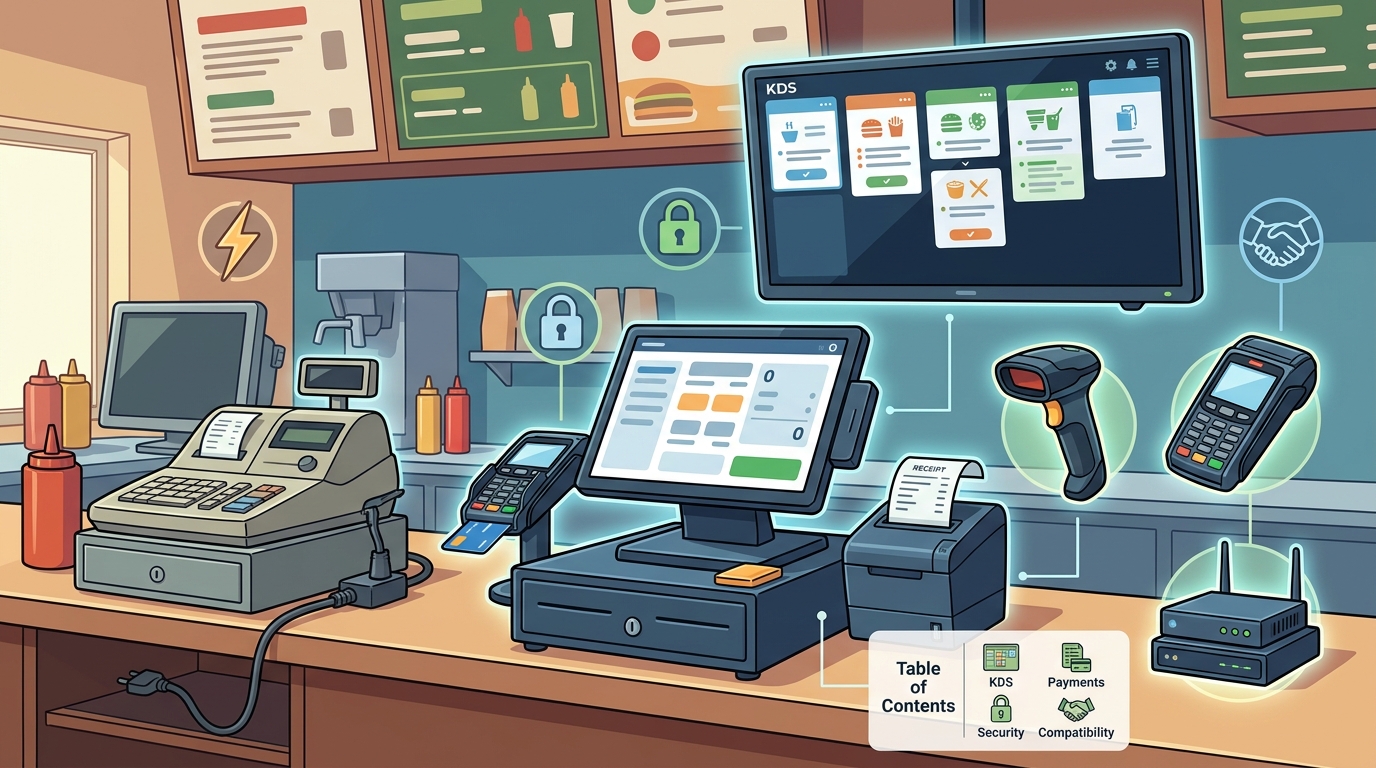
Contactless and Mobile Payments
Reducing Friction at Checkout
Slow payment processing can lead to long lines and customer frustration. Modern terminals process transactions faster than older models. They also provide clear feedback to both the customer and the staff. This reduces the need for manual intervention and speeds up the checkout process. Process with Bryant focuses on payment setups that keep the line moving and the guest experience smooth.
Hardware Compatibility
Hardware compatibility is a critical consideration when replacing an aging POS system. The new hardware must work seamlessly with the existing software and peripherals. This includes printers, scanners, and customer-facing displays. Ensuring compatibility prevents costly integration issues and ensures a smooth transition.
Choosing the Right Terminals
Quick-service restaurants often use countertop terminals for order entry. These terminals must be durable and easy to use. They should have a responsive touchscreen and a clear display. The hardware should also be compatible with the POS software platform. Process with Bryant helps owners choose hardware that fits their counter layout and service style.
Peripheral Integration
Peripherals such as receipt printers and cash drawers must be compatible with the new system. This ensures that all components work together without issues. It is important to test the hardware in a real-world environment before full deployment. This helps identify any potential problems early in the process.
Offline Capability
Offline capability is a vital feature for any POS system. It allows the system to continue processing transactions even when the internet connection is lost. This is particularly important for quick-service restaurants that rely on continuous operation. An aging system may lack this feature, leading to downtime during internet outages.
Continuity of Service
When the internet goes down, an offline-capable POS system can still accept payments and process orders. This ensures that the business can continue to operate without interruption. The transactions are stored locally and synced with the cloud once the connection is restored. This feature provides peace of mind for restaurant owners.
Reliability and Redundancy
Offline capability adds a layer of redundancy to the POS system. It ensures that the business is not dependent on a single point of failure. This is especially important for locations with unreliable internet connections. Process with Bryant emphasizes the importance of offline capability when helping owners replace aging systems.
Security Compliance
Security compliance is a non-negotiable aspect of any POS system. It ensures that customer payment data is protected from unauthorized access. This includes compliance with PCI DSS (Payment Card Industry Data Security Standard) and other relevant regulations. An aging system may not meet current security standards, putting the business at risk.
PCI DSS Compliance
PCI DSS is a set of security standards designed to protect cardholder data. A modern POS system must be PCI DSS compliant. This includes using encrypted communication channels and secure storage for payment data. Ensuring compliance helps prevent data breaches and protects the business from liability.
Regular Updates and Patches
Security threats evolve constantly, and POS systems must be regularly updated to address new vulnerabilities. A modern system provides automatic updates and patches to keep the software secure. This is a key advantage over aging systems that may no longer receive security updates. Process with Bryant helps owners ensure that their new system is secure and up-to-date.
Comparison of Aging vs. Modern POS Hardware
| Feature | Aging POS System | Modern Quick-Service POS |
|---|---|---|
| Payment Methods | Swipe and chip only | Contactless, mobile wallets, and QR |
| Kitchen Integration | Paper tickets | Digital KDS with real-time updates |
| Offline Capability | Limited or none | Full offline mode with sync |
| Security Updates | Manual or discontinued | Automatic and frequent |
| Hardware Durability | Worn and outdated | Commercial-grade and durable |
Key Takeaways
- Modern POS hardware streamlines order entry and payment processing, reducing wait times.
- Kitchen display systems replace paper tickets, improving kitchen efficiency and accuracy.
- Contactless payment support is essential for meeting current customer expectations.
- Hardware compatibility ensures seamless integration with existing software and peripherals.
- Offline capability provides continuity of service during internet outages.
- Security compliance, including PCI DSS, protects customer data and reduces liability.
- Regular software updates and patches keep the system secure against evolving threats.
- Process with Bryant provides local support and guidance for POS system replacement.
Frequently Asked Questions
What is a kitchen display system?
A kitchen display system is a digital interface that replaces paper tickets, allowing staff to see orders in real-time.
Why is offline capability important for a POS system?
Offline capability allows the system to continue processing transactions even when the internet connection is lost, ensuring continuity of service.
What is PCI DSS compliance?
PCI DSS compliance is a set of security standards designed to protect cardholder data from unauthorized access.
How does contactless payment improve the checkout experience?
Contactless payment reduces transaction times and improves the overall checkout experience by allowing customers to pay using mobile wallets or tap-to-pay.
What should I consider when choosing POS hardware?
Consider hardware compatibility, durability, and the ability to support modern payment methods and kitchen integration.
How can I ensure my POS system is secure?
Ensure your POS system is PCI DSS compliant and receives regular security updates and patches.
What is the role of a local POS partner in system replacement?
A local POS partner provides guidance, installation, and ongoing support to ensure a smooth transition to a new system.
Can an aging POS system be upgraded instead of replaced?
In some cases, an aging system can be upgraded, but replacing it with a modern system often provides better long-term benefits and security.
Conclusion
Replacing an aging POS system is a significant investment in your restaurant's future. By focusing on kitchen display systems, payment processing modernization, hardware compatibility, offline capability, and security compliance, you can ensure a smooth and successful transition. Process with Bryant provides local support and guidance to help you choose the right hardware and software for your specific needs. To start your transition, request a free POS review and let us help you build a system that works for your business.