
Integration performance is the measure of how smoothly your POS system exchanges data with other business tools. A high-performing integration ensures that orders, payments, and inventory data flow without manual re-entry or sync delays. When these connections fail, staff waste time fixing errors, and owners lose visibility into real-time operations. Process with Bryant helps restaurant owners in Oregon and Washington audit these connections to ensure their technology supports the pace of their service.
The Cost of Manual Data Re-entry
Manual data entry is the most common sign of poor integration. When a POS system does not automatically update inventory levels after a sale, managers must count stock by hand. This process is slow and prone to human error. A single missed update can lead to over-ordering ingredients or running out of a popular item during a rush. The implication is clear: if your team spends time copying data between systems, your technology is not working for you.
Consider a quick-service counter where a popular sandwich sells out by 2 PM. If the POS does not flag the low inventory to the kitchen display or the online ordering platform, guests will still see the item as available. This leads to frustrated customers and wasted staff time explaining the issue. A well-integrated system flags the item as unavailable across all channels instantly, protecting the guest experience and reducing operational friction.
Payment Processing and POS Alignment
Payment processing is a critical integration point that often causes friction. A POS system should communicate seamlessly with the payment gateway to ensure that transactions are authorized, captured, and reconciled without gaps. When these systems are disconnected, refunds can take days to process, and tip reporting may be inaccurate. This disconnect creates administrative burden for owners who must manually reconcile bank deposits with POS sales reports.
Third-Party Tool Connectivity
Restaurants rely on a variety of third-party tools, including accounting software, payroll systems, and marketing platforms. Integration performance is determined by how easily the POS connects to these external applications. A robust POS system offers open APIs or pre-built connectors that allow data to flow into tools like QuickBooks or Xero. Without these connections, financial data remains siloed within the POS, requiring manual export and import for accounting purposes. according to Top 50 POS
Payroll integration is another key area. If the POS does not track employee hours and sales performance accurately, payroll processing becomes a manual exercise. Staff may clock in and out on a separate device, requiring managers to manually transfer this data to the payroll provider. This not only wastes time but also increases the risk of payroll errors. A well-integrated system pulls labor data directly from the POS, ensuring that payroll reflects actual working hours and sales activity. This reduces administrative overhead and improves accuracy.
Hardware and Software Synchronization
Hardware and software synchronization is often overlooked in integration audits. A POS system must communicate reliably with all connected devices, including kitchen display systems, customer-facing screens, and mobile terminals. If the network connection is unstable or the hardware is not properly configured, data sync can fail. This results in delayed order routing or payment errors. The implication is that hardware placement and network quality are just as important as software selection.
For instance, a handheld device used for tableside payment must maintain a stable connection to the POS server. If the signal drops in a corner of the dining room, the server cannot process the payment, causing delays and guest frustration. Process with Bryant helps clients plan hardware placement and network coverage to ensure that every device remains connected. This includes testing signal strength in all areas of the restaurant and configuring devices to reconnect automatically if the connection is lost. This level of attention to hardware-software sync ensures a seamless guest experience.
Conducting a Practical Integration Audit
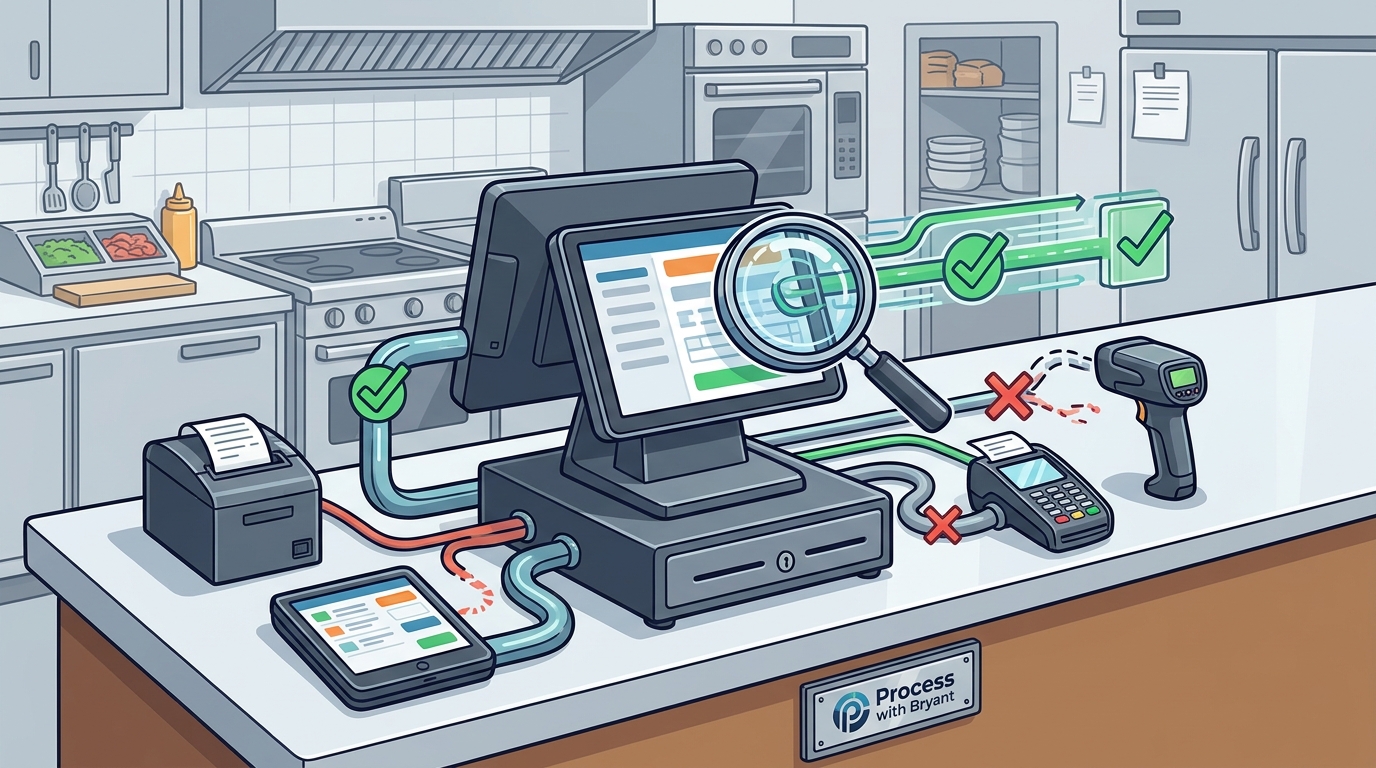
Conducting a practical integration audit involves testing each connection in a real-world scenario. Start by placing a test order and tracking how the data moves through the system. Does the order appear on the kitchen display instantly? Does the inventory level update immediately? Does the payment transaction appear in the back office without delay? These simple tests reveal gaps in integration performance. Document any delays or errors you observe, as these are the areas that need attention.
Next, review the connections to third-party tools. Check if sales data is flowing into your accounting software automatically. Verify that payroll hours are being captured correctly. If you use a marketing platform, ensure that customer data is syncing for email campaigns. This audit provides a clear picture of where your current system is strong and where it is falling short. It also helps you identify which integrations are most critical to your business. By focusing on these key connections, you can prioritize improvements that have the biggest impact on your operations.
Key Takeaways
- Manual data entry is a primary indicator of poor integration performance.
- Payment processing must be natively integrated with the POS to ensure accurate reconciliation.
- Third-party tools like accounting and payroll software require reliable data connectors.
- Hardware placement and network stability are critical for seamless device synchronization.
- A practical audit involves testing real-world scenarios to identify data flow gaps.
- Process with Bryant provides local support for auditing and optimizing POS integrations in Oregon and Washington.
Frequently Asked Questions
What is the most common sign of poor POS integration?
The most common sign is manual data re-entry. If staff must copy information from the POS to another system, such as inventory or accounting software, the integration is not working effectively.
How does payment integration affect restaurant operations?
Payment integration affects operations by ensuring that transactions are recorded accurately and reconciled automatically. Poor integration leads to manual reconciliation, delayed refunds, and inaccurate tip reporting.
Why is hardware synchronization important for POS performance?
Hardware synchronization ensures that all devices, such as kitchen displays and mobile terminals, communicate reliably with the POS server. This prevents order delays and payment errors during busy shifts.
How can I test my POS integration performance?
You can test integration performance by placing a test order and tracking how data moves through the system. Check for delays in order routing, inventory updates, and payment recording. Document any issues you find.
Does Process with Bryant help with POS integration audits?
Yes, Process with Bryant helps restaurant owners in Oregon and Washington audit their POS integrations. They provide practical guidance on optimizing data flow between the POS and other business tools.
Conclusion
Integration performance is a critical factor in the success of your restaurant technology. A well-integrated POS system reduces manual work, improves accuracy, and supports a seamless guest experience. By auditing your current connections and addressing gaps, you can ensure that your technology works for you, not against you. Process with Bryant offers local expertise to help you evaluate and optimize your POS integrations. To start your audit, request a free POS review and discuss your specific needs with a local partner.