
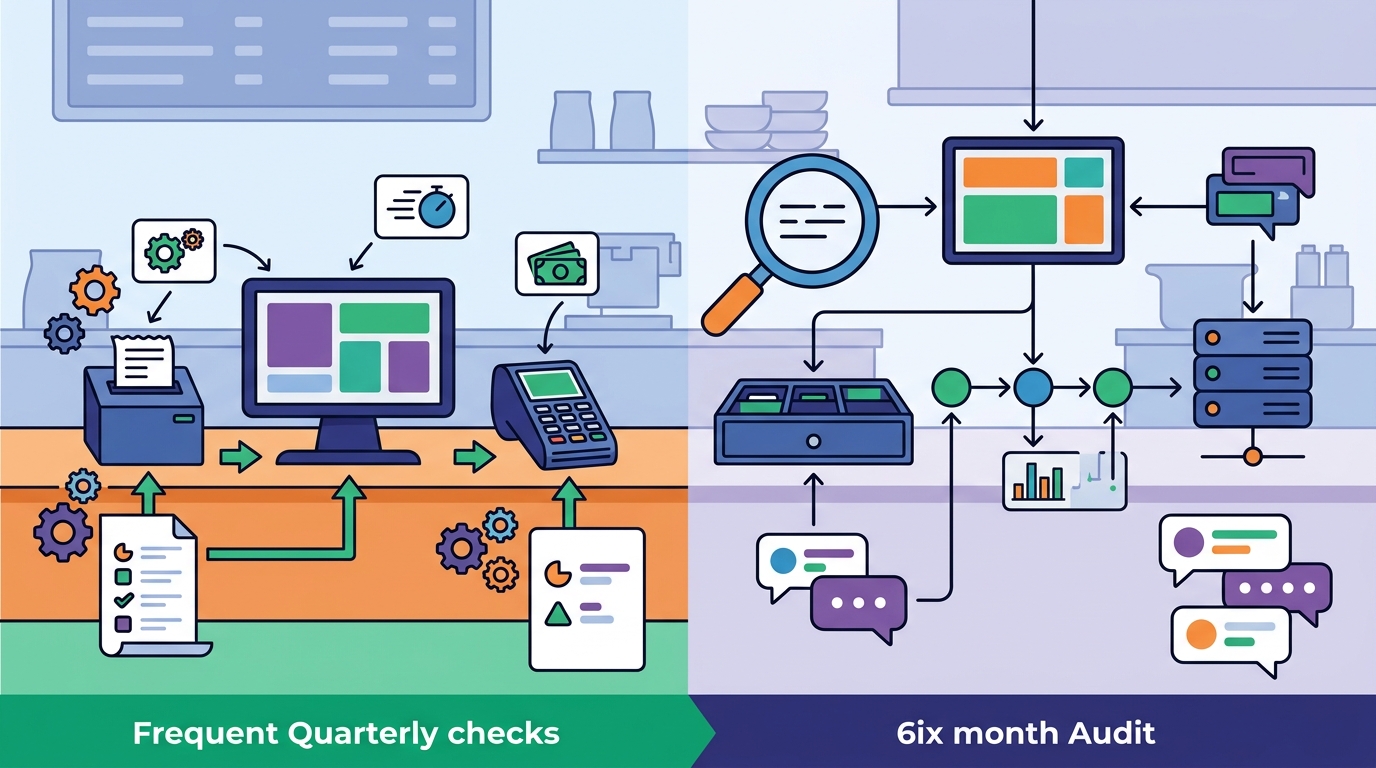
Restaurant owners should evaluate their POS system for friction at least quarterly, with a deep-dive audit every six months. This cadence ensures that minor workflow bottlenecks are caught before they erode margins or frustrate staff. This guide covers how to set an evaluation schedule, the specific metrics that signal friction, how to test integration performance, and the feedback mechanisms needed to keep your team aligned with your technology.
POS Evaluation Frequency
Point of Sale evaluation is a structured review of your hardware, software, and payment workflows to identify inefficiencies. Most operators treat their POS as a static utility, checking it only when it breaks. This reactive approach is costly. A proactive evaluation schedule aligns your technology with the evolving pace of your service.
The Quarterly Check-In
Every three months, conduct a high-level review of your system. This is not a full overhaul. It is a targeted look at the most common friction points. Check if your menu changes are reflected correctly in the POS. Verify that tax rates and modifiers are accurate. Ensure that your payment terminals are processing transactions without delays. This quarterly rhythm keeps the system healthy without consuming excessive management time.
The Semi-Annual Deep Dive
Twice a year, perform a comprehensive audit. This is where you look at the bigger picture. Review your labor costs against your POS reporting capabilities. Analyze your sales data to see if the system is capturing the right insights. Evaluate your hardware placement. Is the counter setup still efficient? Are your handheld devices in the right locations? This deep dive is the time to consider if your current platform still fits your business model or if you need to explore new options.
Event-Driven Evaluations
Some changes require an immediate evaluation. If you open a new location, add a delivery service, or significantly change your menu, you must reassess your POS. These events introduce new variables that can disrupt your existing workflow. A quick assessment ensures that your new operations are supported by your technology before you launch.
Friction Detection Metrics
Friction in a POS system is any delay, error, or workaround that slows down service or increases labor costs. You cannot fix what you do not measure. By tracking specific metrics, you can quantify the impact of your current setup and identify where improvements are needed.
Transaction Speed and Accuracy
Track the average time it takes to process a transaction. If this number is trending upward, you have a problem. Also monitor the rate of voids and refunds. A high void rate often indicates that staff are struggling with the interface or that the system is not capturing orders correctly. These two metrics give you a clear picture of how well your front-of-house team is interacting with the POS.
Hardware Reliability
Hardware failures are a major source of friction. Keep a log of any issues with your terminals, printers, or handheld devices. If a specific device is failing frequently, it is time to replace it. Also track the uptime of your system. Downtime during a busy shift is a critical failure. Your POS should be reliable enough to handle the peak of your business without interruption.
Reporting and Data Quality
Your POS is a data engine. If your reports are inaccurate or difficult to generate, you are losing valuable insights. Evaluate how often you need to manually reconcile data. If you are spending hours every week fixing reports, your system is not doing its job. High-quality data is essential for making informed business decisions.
Integration Performance
POS integration is the connection between your point of sale and other business systems, such as inventory, accounting, and online ordering. A seamless integration ensures that data flows automatically between these platforms. Poor integration leads to manual data entry, which is slow and error-prone.
Testing Data Synchronization
Regularly test how well your POS syncs with your other tools. Place a test order and verify that it appears correctly in your inventory and accounting systems. Check if your online orders are being routed to the kitchen display system without delay. These tests should be part of your quarterly check-in. If you find that data is not syncing correctly, you need to address the issue before it causes larger problems.
Evaluating Third-Party Apps
Many restaurants use third-party apps to extend their POS functionality. These apps can be useful, but they can also introduce friction. Evaluate how well these apps work with your core system. Are they causing slowdowns? Are they creating data conflicts? If an app is not adding value, consider removing it. A leaner system is often a faster and more reliable one.
Payment Processing Efficiency
Payment processing is a critical part of your POS. Evaluate how well your payment setup fits your service style. Are your guests able to pay quickly and easily? Are your staff able to process payments without confusion? If you are using a payment provider that does not integrate well with your POS, you may be creating unnecessary friction. Consider if a different payment setup would improve your workflow.
Staff Feedback Mechanisms
Staff feedback is the most direct way to identify POS friction. Your team uses the system every day. They know where it works and where it does not. Creating a structured way to collect and act on this feedback is essential for continuous improvement.
Regular Check-Ins
Hold brief, regular meetings with your staff to discuss their experience with the POS. Ask them about any issues they are facing. Listen to their suggestions for improvement. These check-ins should be short and focused. The goal is to identify specific problems, not to hold a general meeting. By making these check-ins a regular part of your routine, you show your team that their input is valued.
Anonymous Feedback Channels
Some staff may be hesitant to share their concerns in a group setting. Provide an anonymous way for them to submit feedback. This could be a simple form or a suggestion box. This channel allows your team to share honest opinions without fear of judgment. Review this feedback regularly and address any recurring themes.
Training and Onboarding
Friction often arises from a lack of training. Ensure that your staff are comfortable with the POS. Provide ongoing training and support. If you notice that new employees are struggling with the system, it may be a sign that the interface is not intuitive. A well-trained team is a more efficient team. By investing in training, you reduce the likelihood of errors and delays.
Key Takeaways
- Evaluate your POS system quarterly for a high-level review and every six months for a deep dive.
- Track transaction speed, accuracy, and hardware reliability to quantify friction.
- Test data synchronization between your POS and other business systems regularly.
- Remove third-party apps that do not add value to your workflow.
- Collect staff feedback through regular check-ins and anonymous channels.
- Invest in ongoing training to ensure your team is comfortable with the system.
- Reassess your POS immediately after major business changes, such as opening a new location.
- Work with a local partner who understands your specific operation to get the most out of your evaluation.
Frequently Asked Questions
How often should I evaluate my POS system?
You should evaluate your POS system at least quarterly, with a deep-dive audit every six months. This cadence ensures that minor issues are caught before they become major problems.
What are the signs that my POS system is causing friction?
Signs of friction include slow transaction times, a high rate of voids and refunds, frequent hardware failures, and staff complaints about the interface. If your team is working around the system, it is time to evaluate it.
How can I measure the impact of my POS system on my business?
You can measure the impact of your POS system by tracking metrics such as transaction speed, accuracy, and hardware reliability. You can also review your sales data to see if the system is providing the insights you need.
What should I do if my staff is unhappy with the POS system?
If your staff is unhappy with the POS system, you should investigate the cause of their dissatisfaction. It may be a lack of training, a poor interface, or a mismatch between the system and your service style. Work with your team to identify the specific issues and find a solution.
How can I improve the integration between my POS and other systems?
You can improve integration by testing data synchronization regularly and removing third-party apps that do not add value. You can also work with your POS provider to ensure that your system is configured correctly.
When should I consider replacing my POS system?
You should consider replacing your POS system if it is no longer meeting your business needs, if it is causing significant friction, or if it is no longer supported by the vendor. A replacement should be a last resort, but it may be necessary if your current system is holding you back.
Conclusion
Evaluating your POS system for friction is an ongoing process that requires a structured approach. By setting a regular evaluation schedule, tracking key metrics, testing integrations, and collecting staff feedback, you can ensure that your technology supports your business rather than holding it back. Process with Bryant helps restaurant owners across Oregon and Washington make these evaluations with practical, local guidance. We start with a real conversation to understand your operation and help you find a POS setup that fits your actual needs. Request a free POS review to get a clear plan for your next decision.